# Indicators --- 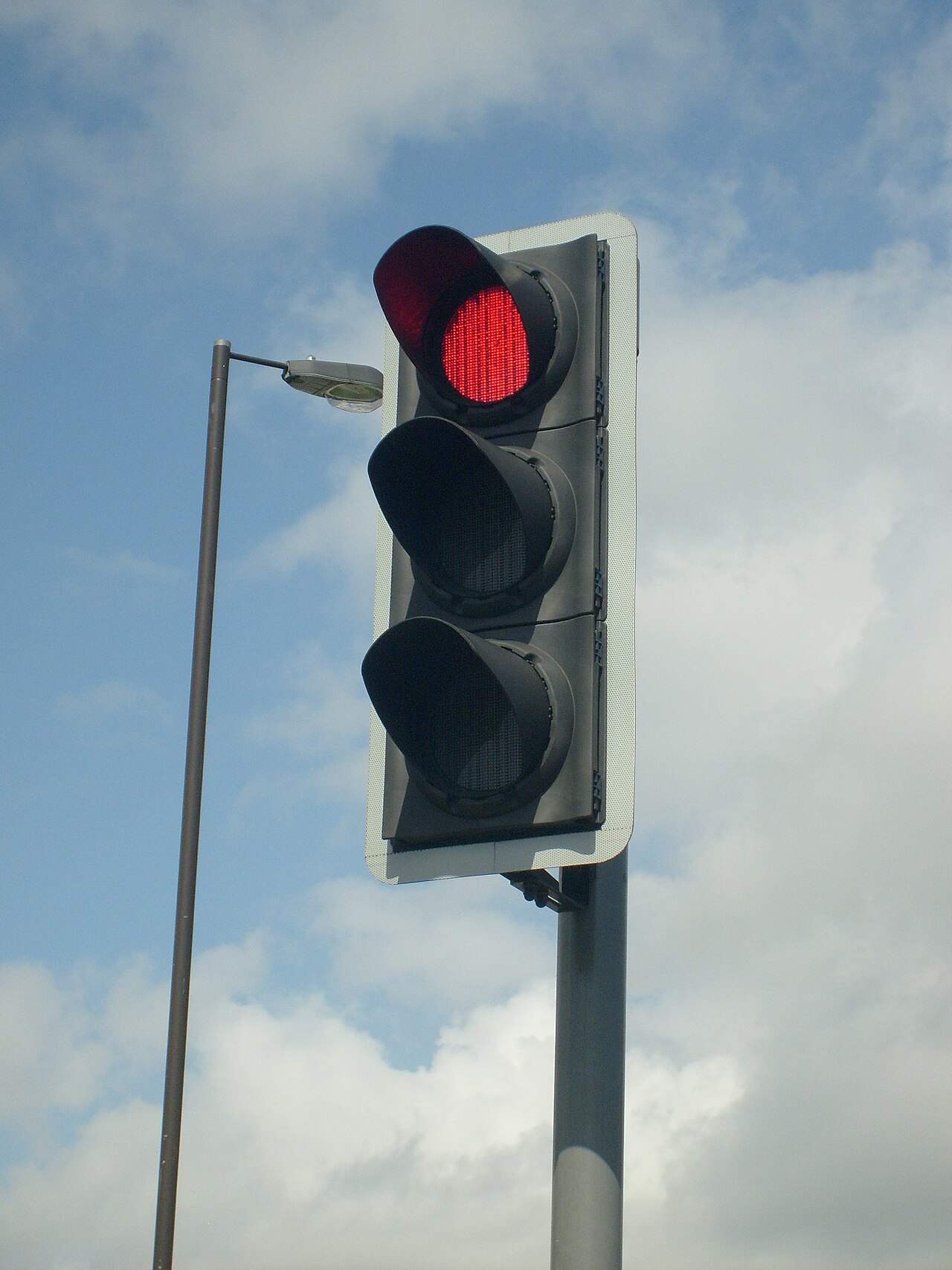<!-- .element height="600" --> --- 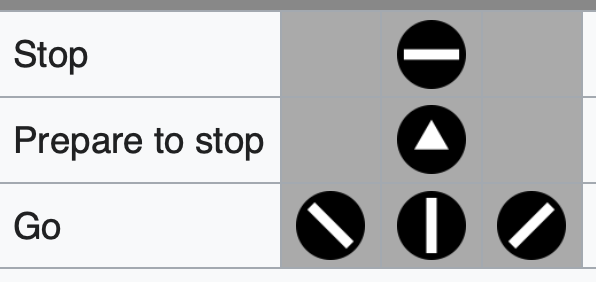 --- 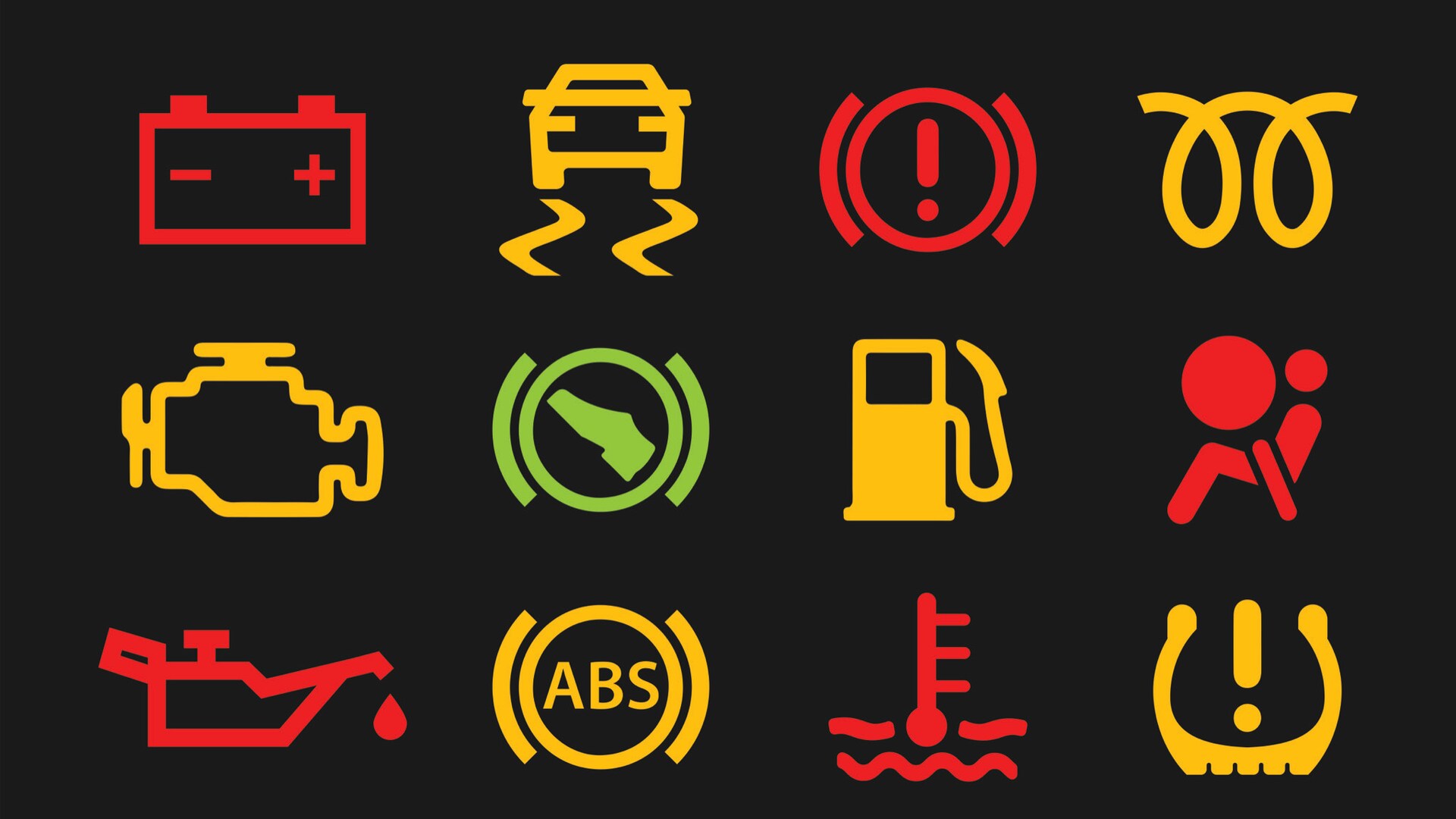 --- <!-- .element height="450" --> --- ## Story: Google Chrome URL Bar --- 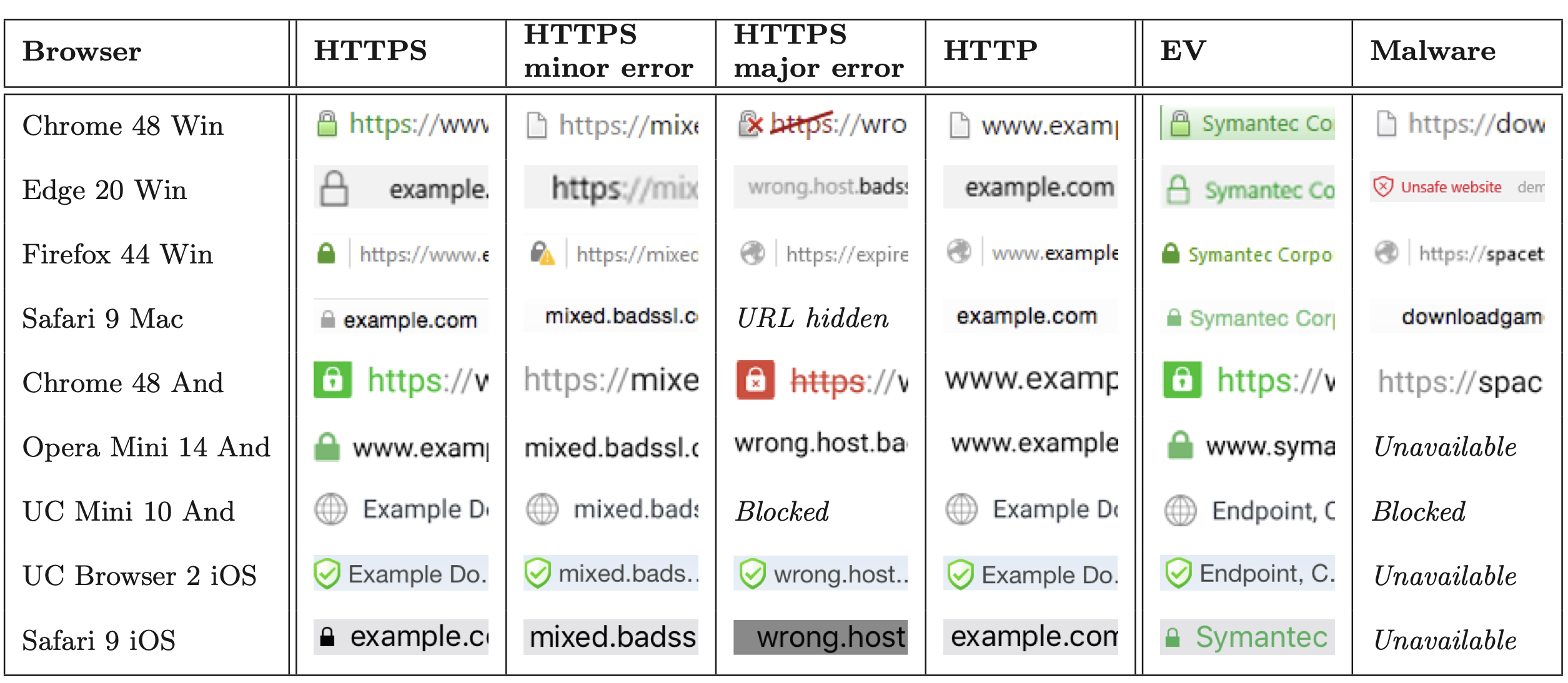<!-- .element width="1200" --> Note: * Similar shapes (lock vs lock-with-slash) * Secure but untrustworthy (EV) * Not actually changing (UC) * Normalizing HTTP * Minor errors (HTTP vs. HTTPS-with-minor) --- ### Survey * Popup survey, in browser, when visiting a secure/insecure website * 1,329 survey responses * "What does the (white|green) symbol to the left of the URL mean to you?" * Coded responses by hand --- 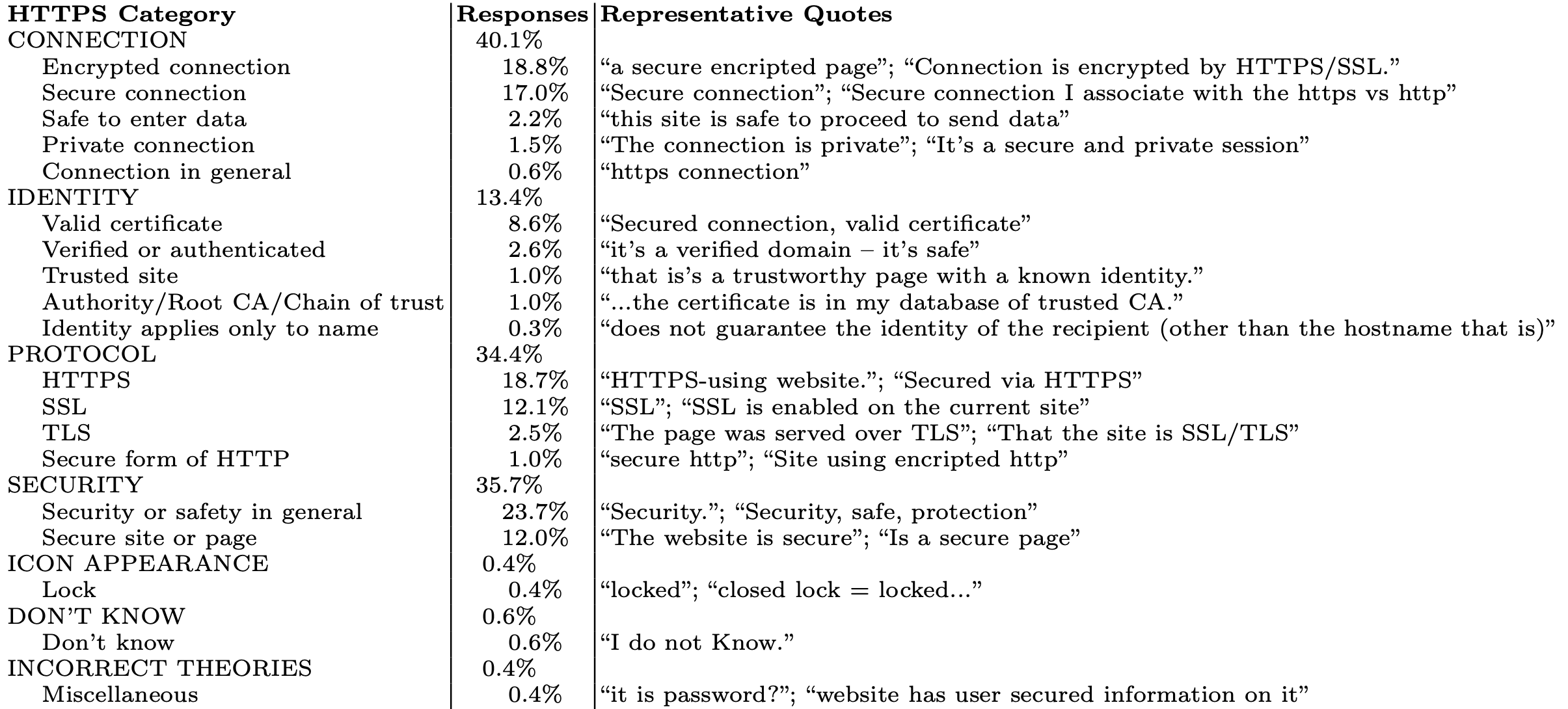<!-- .element height="500" --> --- 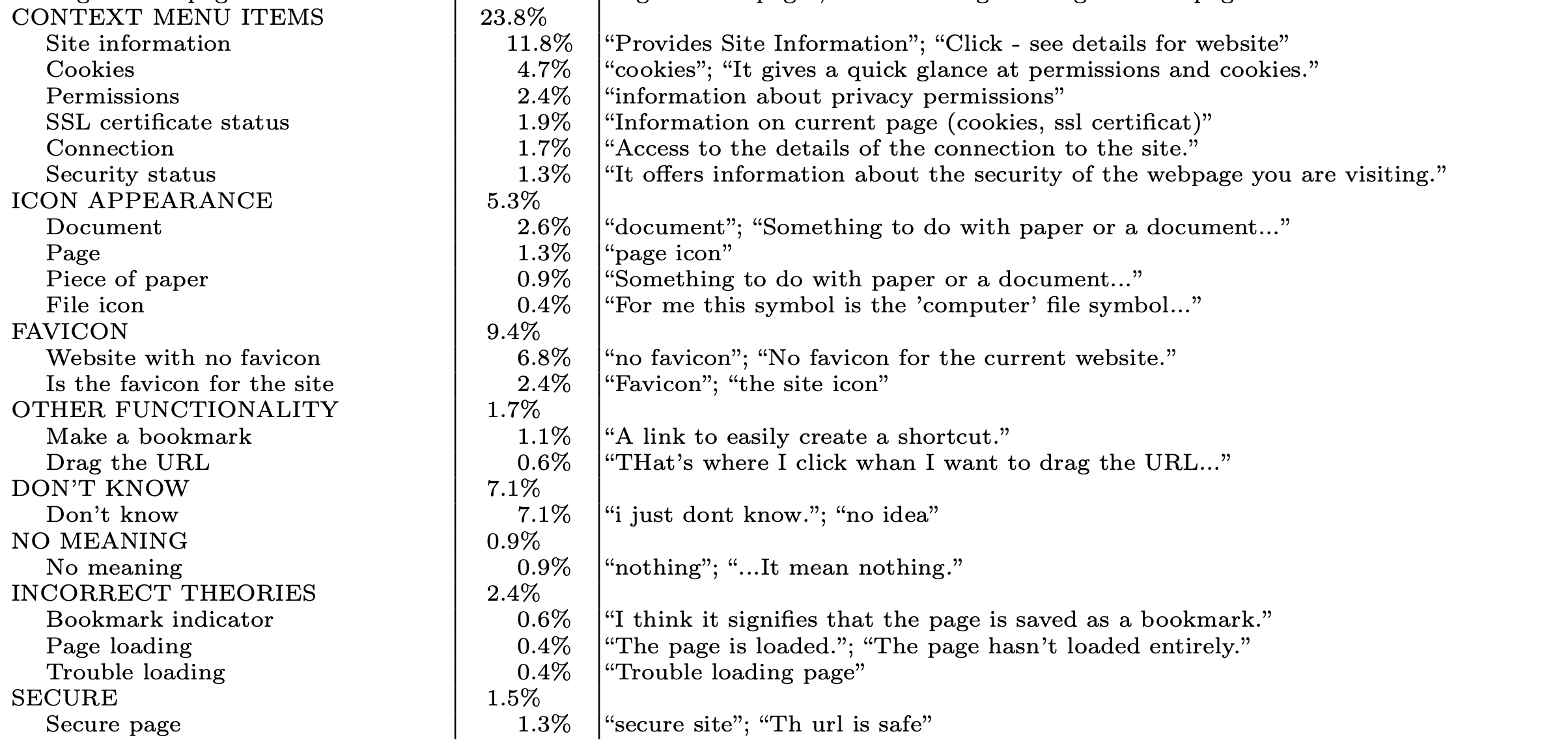<!-- .element height="500" --> --- 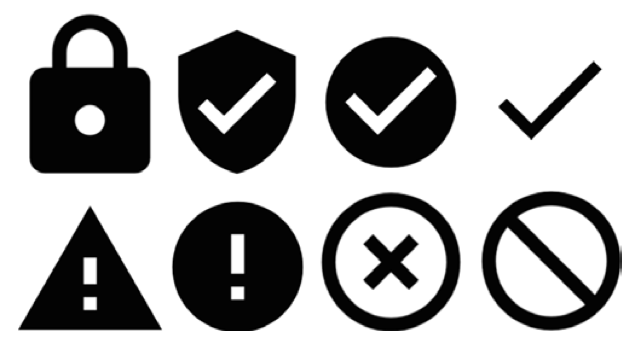 --- #### Survey (N=1000) 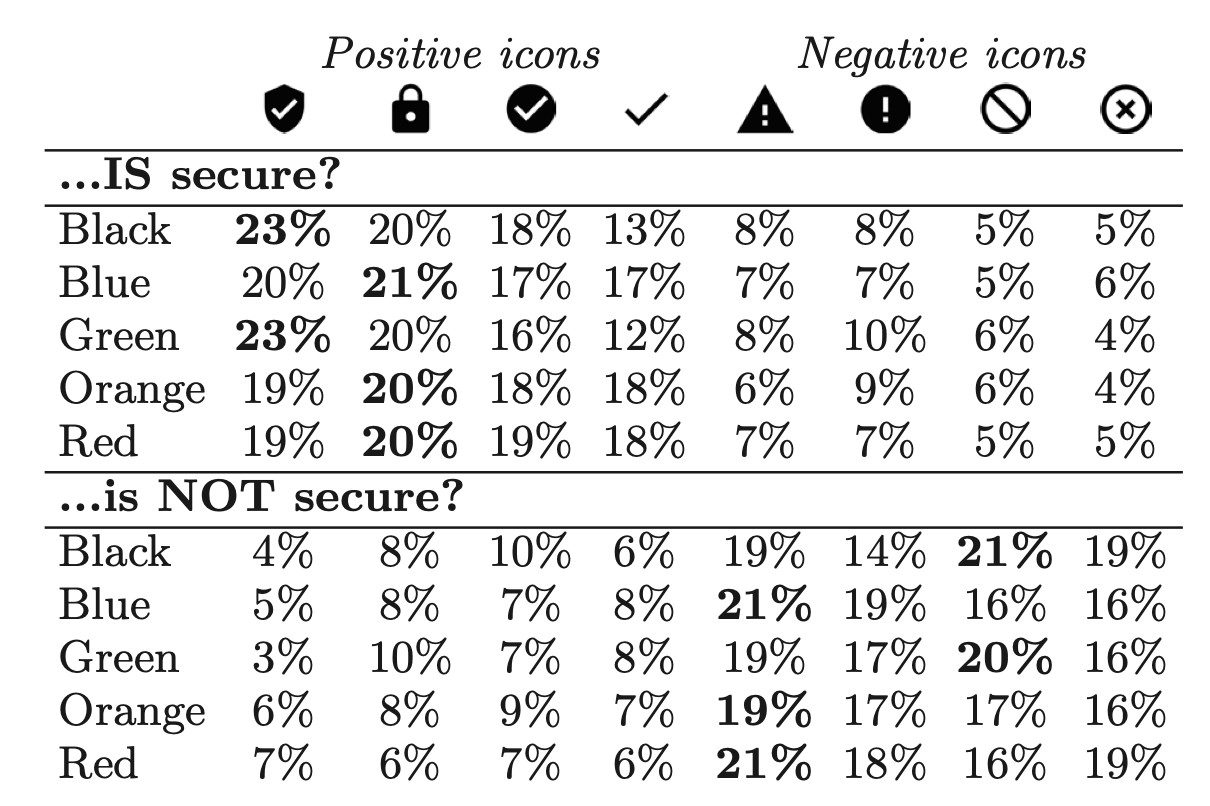 Note: * Colors have cultural meaning * This is why differences here; low numbers * Chose "lock" icon because familiarity --- #### Explanatory Text 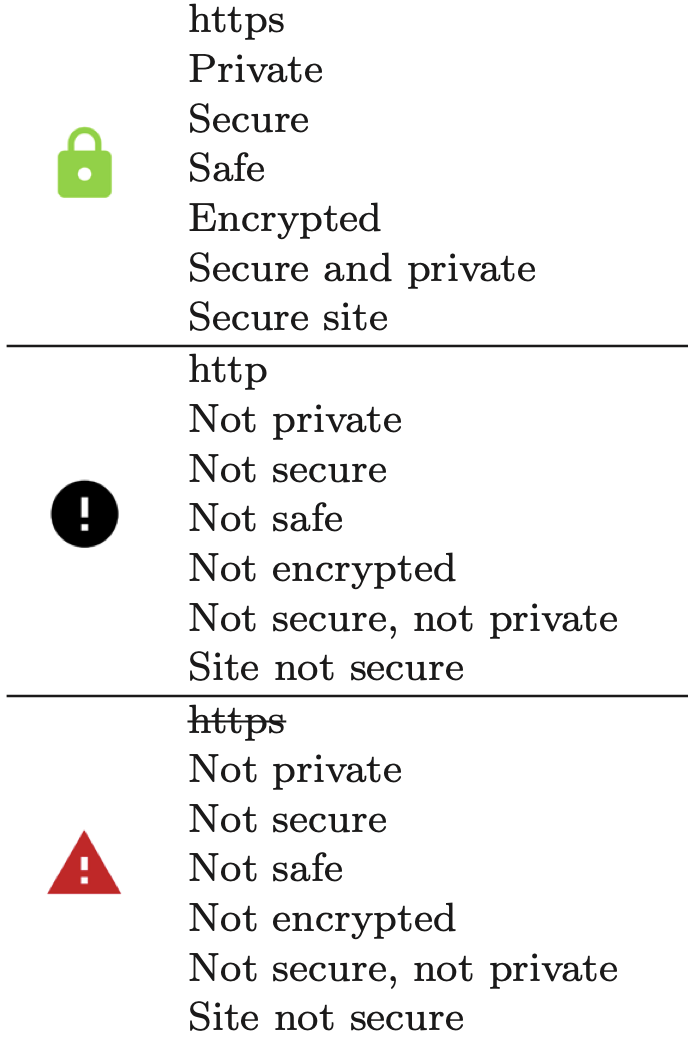<!-- .element height="600" --> Note: * Perceived Safety ("secure/https") * Perceived Threat ("malware") * Action ("leave site" or "no credit card") --- 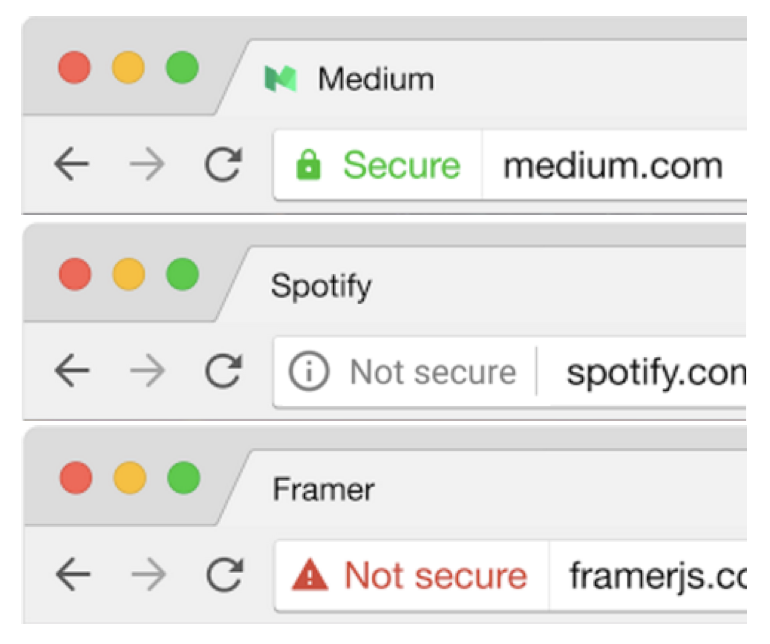 --- 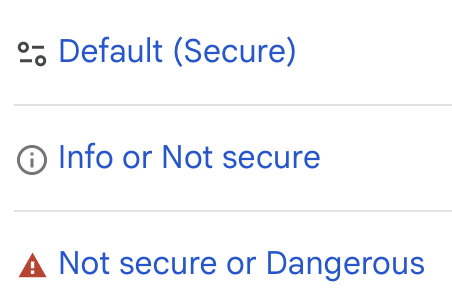 ([More Info about reasoning](https://blog.chromium.org/2023/05/an-update-on-lock-icon.html)) --- ## Role(s) of Indicators * General indication of safety/security * Quickly * Text helps educate * Click target for more info * Convey specific technical meaning? * Almost always need multiple options to have meaning --- ## Indicator Design Challenges * Usually need words next to indicator * Very little space. Only convey most important sentiment * Meaning of shapes / colors varies across cultures --- # Nutrition Labels --- 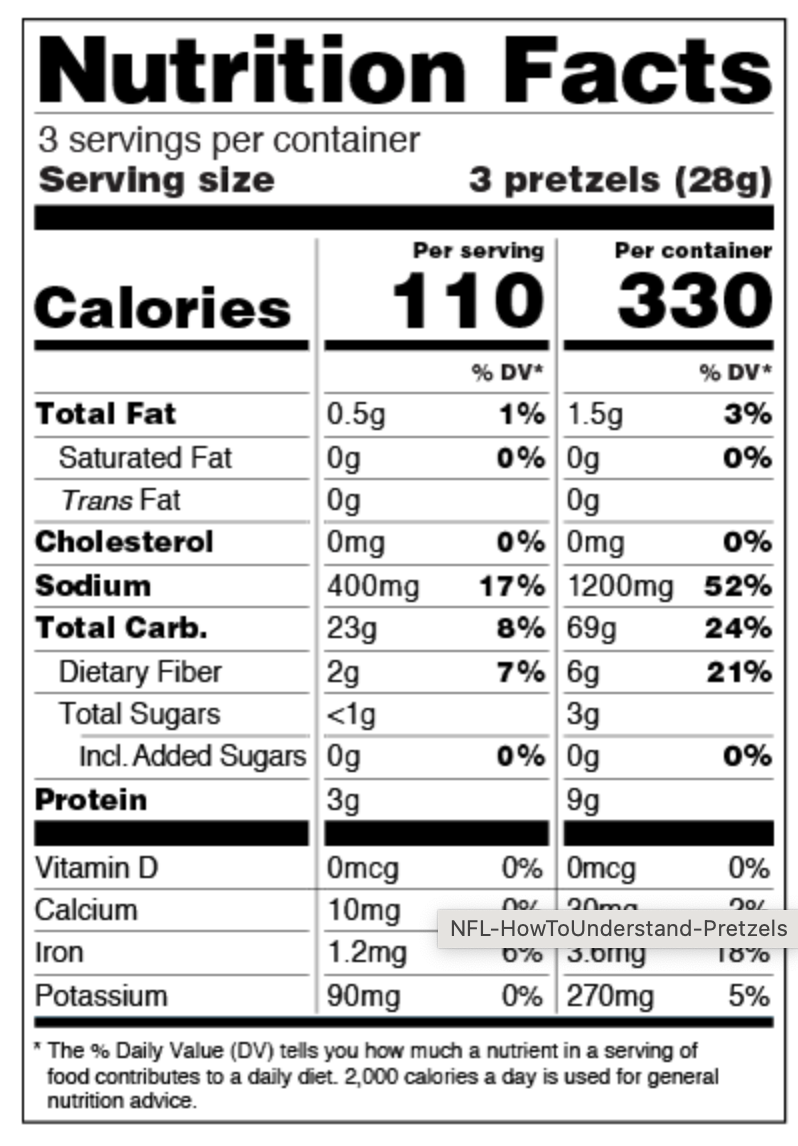<!-- .element height="650" --> --- ### What is a nutrition label? * Quick, glancable summary * Most important information * Things that are different across other options * Supports comparison shopping Note: * People learn what is important from what is on the label --- 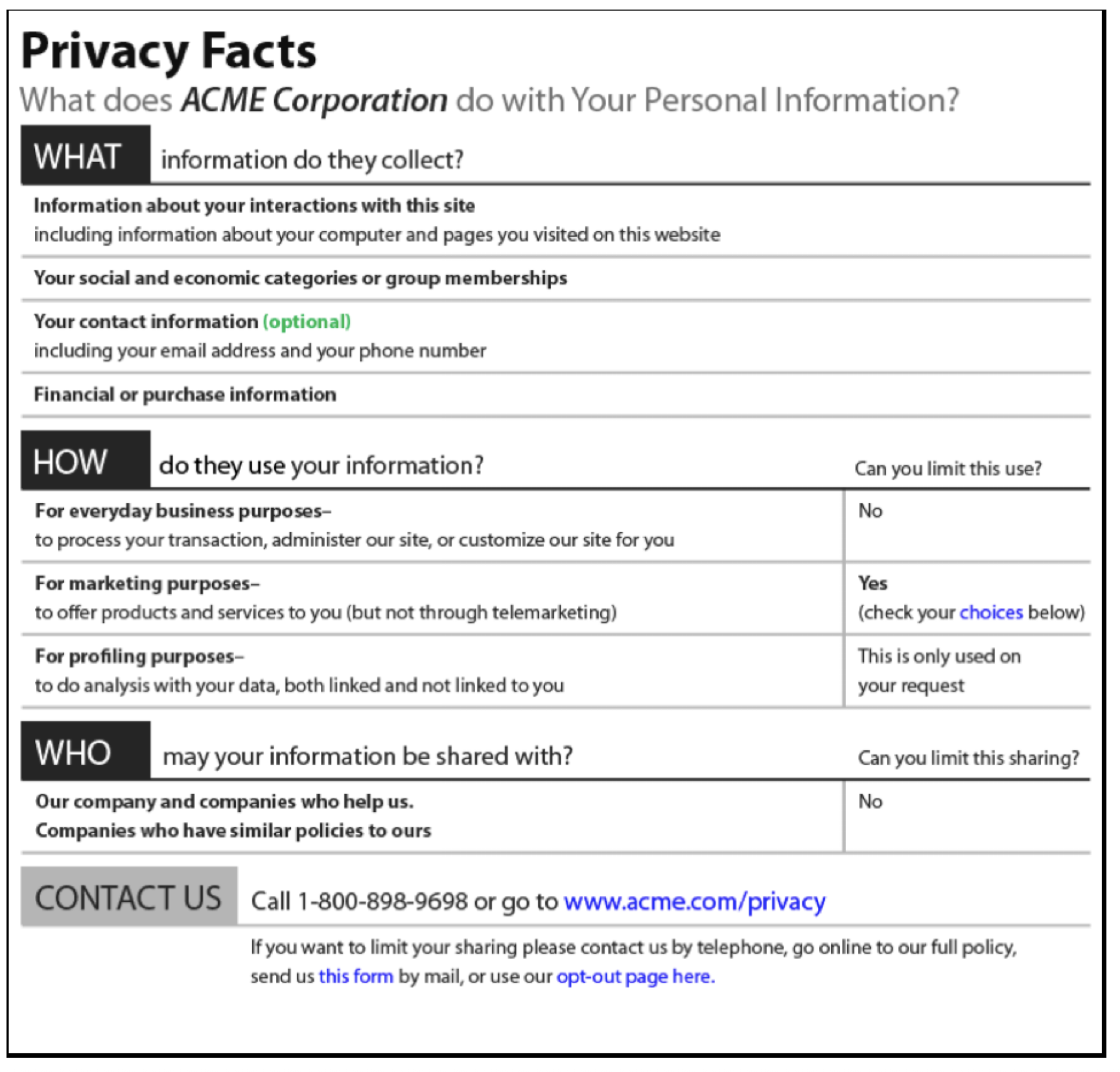<!-- .element height="650" --> Note: * Bold, thick border and lines direct eyes to trusted info * Identify major questions from users, put on label * Title indicates use --- 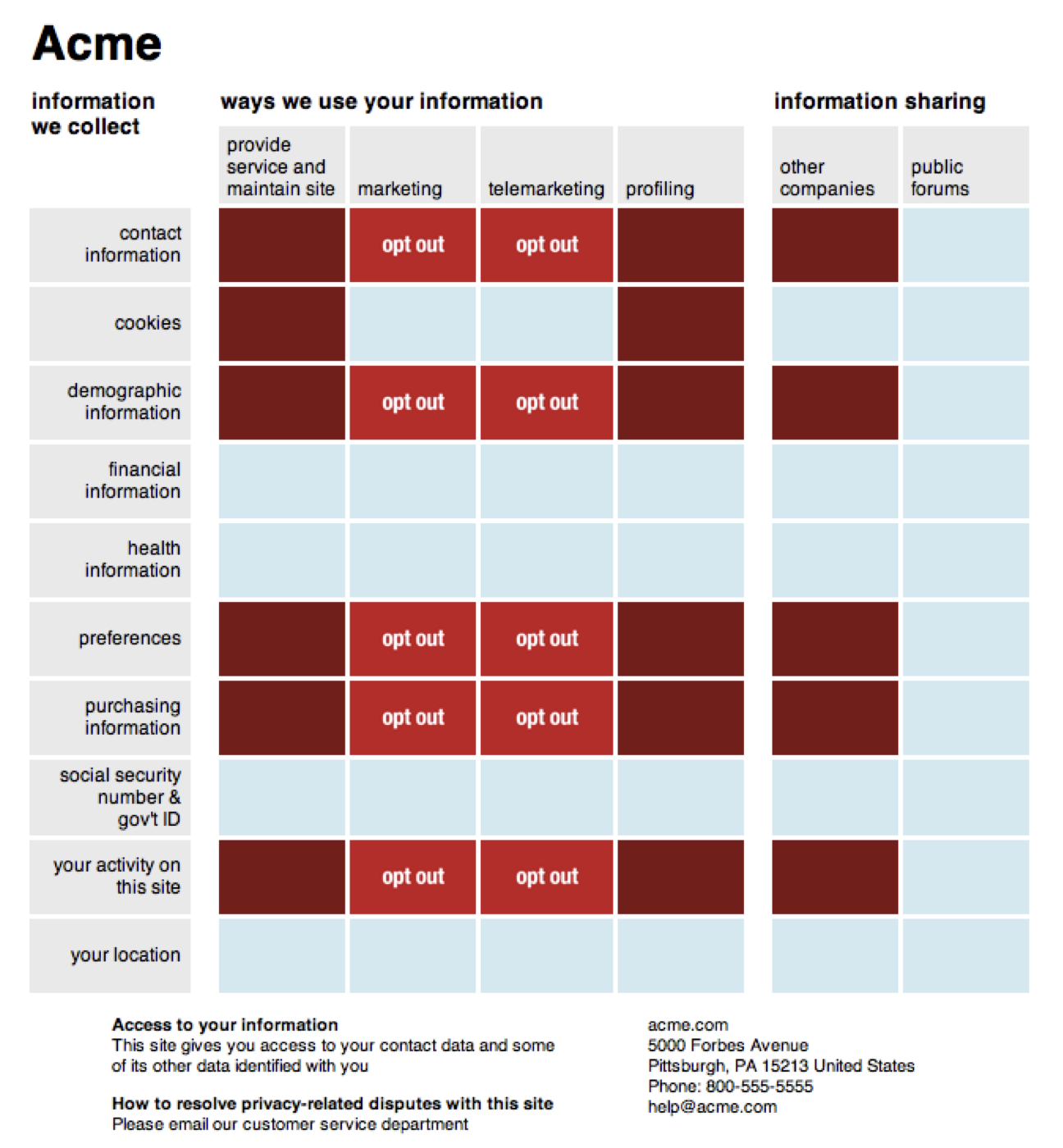<!-- .element height="650" --> Note: * Regular placement, so two labels can be compared * Good is lighter, bad is darker -- so overall impression conveys good/bad * Includes non-collected info to highlight good choices --- 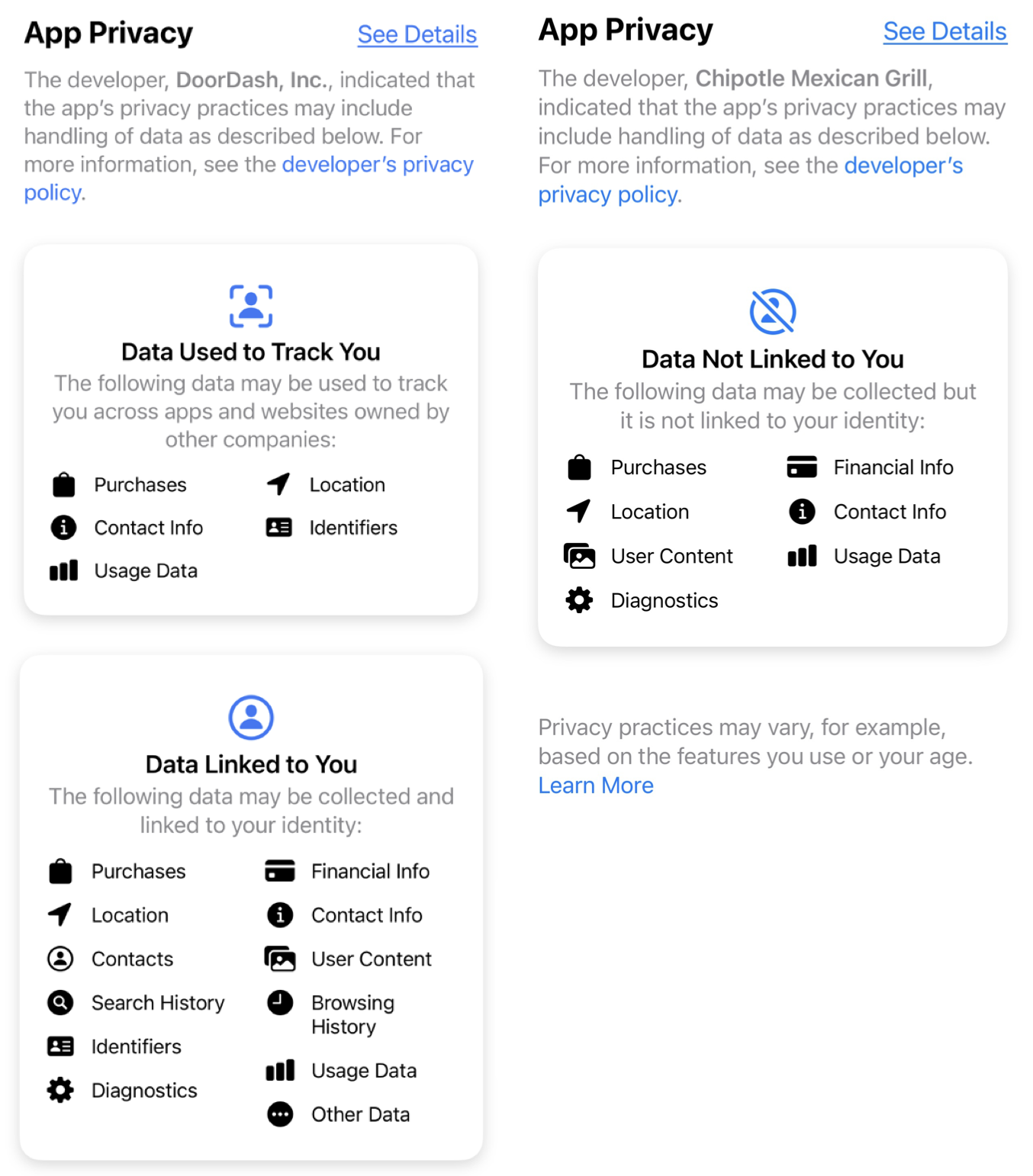<!-- .element height="650" --> --- ### Designing Nutrition Labels 1. What is the most important information? * That people want to know * That varies between choices 2. Structure for presenting information * Organize the info 3. Indicator design * How will it be displayed?